This article defines internal links in HTML as anchor elements pointing within the same site or page. It explains same-page links with fragment IDs and cross-page links with relative and root-relative paths, shows exact syntax, and shows why descriptive anchor text, placement, and shallow hierarchy affect SEO and crawlability. It lists common errors like duplicate IDs and orphaned pages, clarifies rel attribute use, and ends with a practical checklist.
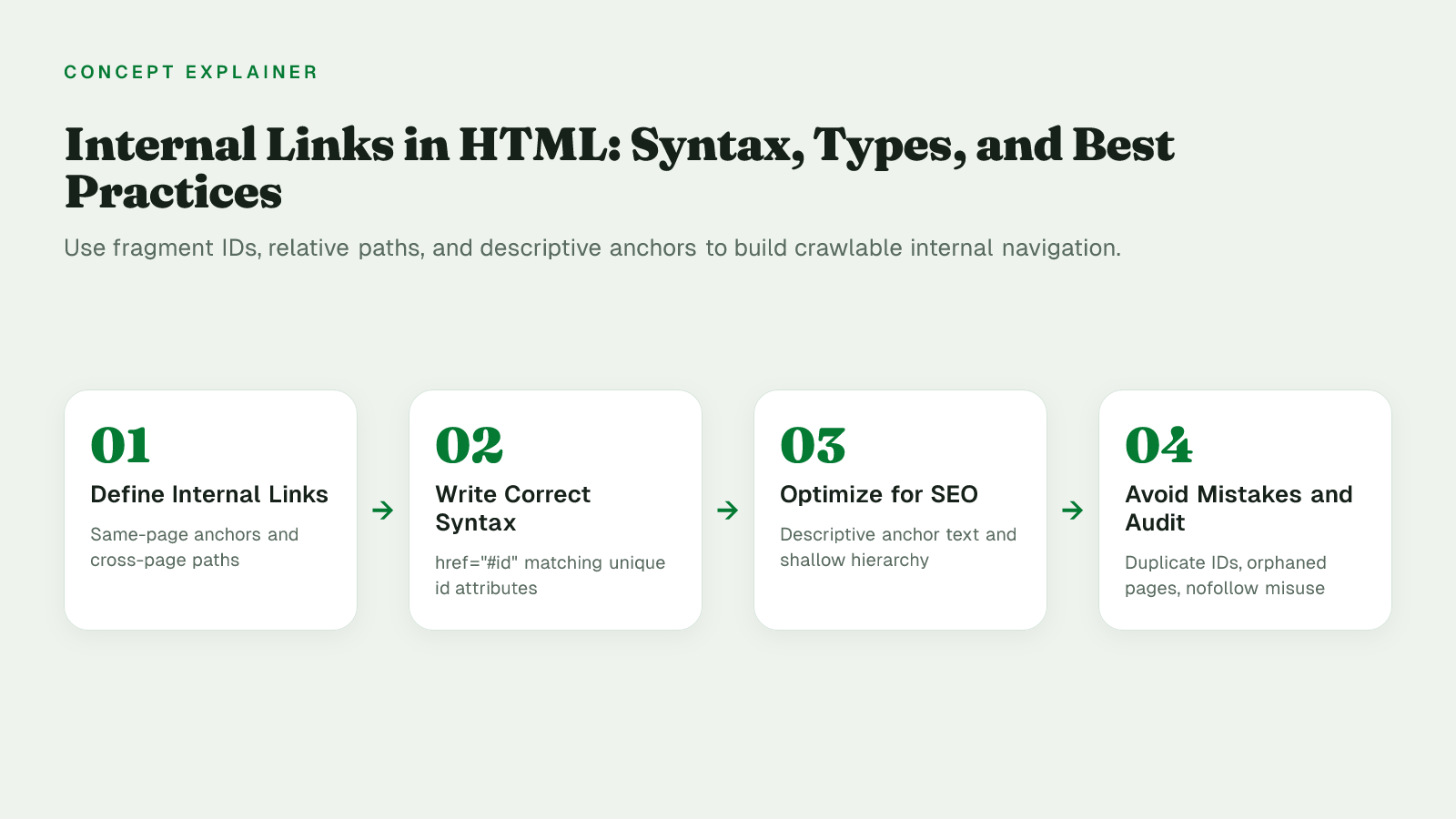
An internal link in HTML is an <a> element whose href attribute points to a location within the same site or page rather than an external domain. HTML handles internal navigation as two core types: in-page anchor links that jump to a specific element on the same page, and cross-page links that use relative or root-relative paths to reach other pages on the same site.
In-page links keep users within the current document, while cross-page links connect separate documents into a navigable structure, but both still use the same anchor model. The <a> element creates a hyperlink to web pages, files, email addresses, locations in the same page, or anything else a URL can address, and a target element marked with an id provides the landing point for fragment navigation. That href + id pairing is the conceptual foundation: one defines where the link goes, the other defines where it lands.
Internal links do not require a deprecated <a name> element. A same-page internal link is written as <a href="#id"> that targets any element carrying that id, while a cross-page internal link uses a relative path like about.html or /folder/page.html to point to another file on the same site. Here is exactly how each type is written.
A fragment identifier is the last part of the URI starting with the # character. It is not sent to the server and is processed by the client after the resource is retrieved. In an HTML document the browser will scroll to the element with the id that matches the fragment.
Link syntax: href="#value" must exactly match id="value" on the target. The id must be unique in the document.
<!-- table of contents -->
<nav>
  <a href="#features">Features</a>
  <a href="#pricing">Pricing</a>
</nav>

<!-- targets elsewhere on same page -->
<section id="features">
  <h2>Features</h2>
  <p>...</p>
</section>

<section id="pricing">
  <h2>Pricing</h2>
  <p>...</p>
</section>
You can also link to a fragment on another internal page:
<a href="/docs/setup.html#prerequisites">Setup prerequisites</a>
The <a> element's href attribute holds the URL that the hyperlink points to. For links inside the same site, browsers resolve relative URLs against the current document location. MDN shows scheme-relative, origin-relative, directory-relative, and parent-directory-relative examples:
about.html or p — file in the same folder./p — explicitly same-folder reference/en-US/docs/Web/HTML or /blog/post.html — origin-relative, from site root../p or ../index.html — parent-directory-relative, one level up<a href="about.html">About us</a>
<a href="/blog/post.html">Blog post</a>
<a href="../index.html">Home</a>
<a href="https://example.com/contact.html">Contact (absolute URL)</a>
Absolute URLs include scheme and host (https://example.com/page.html) and always resolve to that host. Relative paths keep internal links portable when the domain changes or when moving between staging and production, so they are the default choice for internal navigation.
Google uses links as a signal when determining the relevancy of pages and to find new pages to crawl, so the wording, placement, and depth of internal links directly influence whether pages get discovered, understood, and surfaced.
Google's documentation on link best practices explains that anchor text should be descriptive, reasonably concise, and relevant to both the current page and the destination. Generic labels like "click here" or "read more" are called out as bad examples because they give users and crawlers no topical signal, while a phrase like "list of cheese types" sets a clear expectation for what the linked page covers.
Placement changes how much signal a link carries. In-content, contextual links pass surrounding sentence context that helps Google interpret relevance for the target. Navigation and footer links are useful for wayfinding, but because they repeat across many pages they provide less specific topical context than a link placed intentionally within a paragraph about the same subject.
Hierarchy and depth determine crawlability. Google Search Central notes that every page you care about should have a link from at least one other page on your site, and early guidance on link architecture describes it as a key step if you want your site indexed. Shallow paths, typically 2-3 clicks from the homepage, and grouping related pages into clear topical clusters make discovery more reliable than orphaning content deep in unlinked sections.
Industry SEO guides echo the same principle: anchor text should reflect the destination topic rather than repeat the same keyword or inflate link count. Descriptive, contextual anchor text does more for discoverability than adding more links with vague labels, a rule that shapes the attributes and common errors covered next.
Common internal linking mistakes in HTML are broken relative paths after a restructure, duplicate or mismatched id attributes that break same-page #anchor jumps, orphaned pages with zero inbound internal links, and adding rel="nofollow" to normal internal navigation.
Even correct syntax breaks down in practice without attention to these failure points. You ship a new folder structure, duplicate a template section that already uses id="faq", publish a page that no other page links to, or copy a rel="nofollow" pattern from an external-link example onto your own menu. Each creates a silent failure for users and crawlers.
| Mistake | Why It Happens | Fix |
|---|---|---|
| Broken relative paths after restructuring | File moves leave href="./post.html" pointing at old paths |
Use root-relative paths like /resources/post.html; crawl to verify |
Duplicate or mismatched id breaks anchor jumps |
Copied sections reuse id="pricing"; ids are case-sensitive |
Enforce unique lowercase ids; match href="#id" exactly |
| Orphaned pages with no inbound internal links | New page published but never linked from nav or content | Add a standard <a href> link from a hub page |
rel="nofollow" applied to internal navigation |
Assumption that nofollow saves crawl budget | Reserve nofollow for untrusted, sponsored, ugc links |
The rel attribute is where intent often goes wrong. The attribute defines the relationship between a linked resource and the current document, and MDN defines nofollow as indicating the author does not endorse the referenced document. Google Search Central advises using nofollow only when you don't trust the source, a rule aimed at untrusted external or user-generated links, not your own navigation. Applying it internally tells crawlers not to pass endorsement signals to pages you own.
Orphaned content is the counterpart problem. If a page is only reachable via sitemap or JavaScript router links, fix it by adding a standard anchor link from relevant hub pages, verifying the href resolves to a real URI.
Run this short quality gate when you add, move, or rename files, since it trades a little publishing speed for keeping anchor jumps and navigation crawlable.
HarperFlow publishes highly structured articles featuring FAQs, data tables, and direct-answer blocks that meet the rigorous citation standards required by AI search engines. By continuously auditing and improving your content through AI answer analytics, HarperFlow helps your site build long-term authority and visibility that outlasts ad-dependent strategies.
id values that would split #fragment targets. Each jump destination should exist once on the page../, ../, and root-relative /path links before deploy.On a small static site you can hand-code these checks and re-validate with a local build and a crawler after each release. Once you publish across a larger volume of posts, manual review breaks down and a publishing workflow should enforce the same rules at publish time. HarperFlow is one example of a Webflow publishing workflow built around that principle: automation is only worth using when it improves quality, and consistent internal linking applied automatically across published articles is one case where it does.
The fragment starting with # is not sent to the server and is processed by the client after the page loads. The browser uses it to scroll to the element with the id that matches the fragment. That means you cannot rely on server logs to see which fragment was requested.
Yes. Use a path plus fragment like href="/docs/setup.html#prerequisites" where prerequisites matches an id on that page. The browser loads /docs/setup.html then scrolls to id="prerequisites". Both parts must be correct: the file must exist and the id must be unique on the destination page.
id values must be unique within a document. If you duplicate id="faq", a link to href="#faq" may jump to the first match or behave inconsistently. Fix it by searching the file for duplicate id values and renaming them to unique, lowercase values that exactly match the href.
Relative paths keep links portable between staging and production. Use about.html for same folder, ../index.html for parent folder, and /blog/post.html for root-relative links from the site root. Absolute URLs like https://example.com/contact.html always resolve to that host and are less portable. MDN shows origin-relative and directory-relative examples
Good anchor text is descriptive, reasonably concise, and relevant to the page it is on and to the page it links to. Bad generic text like Click here or Read more gives users and crawlers no context about the destination. Replace it with wording that describes the target, for example cheese types instead of click here. Link best practices
No. The rel attribute defines the relationship between a linked resource and the current document, and nofollow indicates the author does not endorse the referenced document. Google advises to use nofollow only when you don't trust the source, which applies to untrusted external or user-generated links, not your own navigation.
Make sure every page you care about has a link from at least one other page on your site using a standard <a href>. Pages reachable only through a sitemap or client-side router may be hard for crawlers and users to discover. Adding a contextual link from a relevant hub page fixes discoverability. Coverage guidance
No, the match is case-sensitive. href="#Pricing" will not reliably scroll to id="pricing" because the characters differ in case. Keep id values lowercase and ensure href="#value" exactly matches id="value", including case.
Related articles
HarperFlow publishes highly structured articles featuring FAQs, data tables, and direct-answer blocks that meet the rigorous citation standards required by AI search engines. By continuously auditing and improving your content through AI answer analytics, HarperFlow helps your site build long-term authority and visibility that outlasts ad-dependent strategies.
Start Your Trial TodayLover of all things automation and all things content.
Your privacy
Necessary storage keeps the site secure and working. With permission, analytics helps us improve it and marketing tools measure campaigns. Google can still send limited cookieless signals when optional storage is off. Read our Privacy Policy.
Your browser sends a privacy signal (Global Privacy Control), so optional technologies start off — your choice here takes precedence.
Privacy choices
Necessary storage supports security, consent, and the features you request. Optional categories can be changed at any time.
Security, fraud prevention, consent preferences, form delivery, and popup suppression.
Your browser sends a Global Privacy Control signal, so optional technologies start off by default. Your explicit choice here takes precedence.
A practical AEO/GEO manual for making your Webflow site clearer, better sourced, and easier for answer engines to use—without gimmicks or guarantees.
Find gaps in discovery, extraction, evidence, authority, and freshness
Use evidence patterns, briefs, and fill-in worksheets
Run a focused 30-day AEO/GEO operating sprint
We’ve emailed your copy. It should arrive within a few minutes.
If it is not in your inbox within a few minutes, check spam or promotions.